Improve Work Performance with Sidekick Browser

As a seasoned Senior FullStack Web and Mobile Developer, I bring over 10+ years of extensive experience in designing, developing, and deploying robust applications across various platforms. My expertise spans a diverse range of technologies, including PHP, NodeJS, Flutter, ReactNative, VueJS, AngularJS, and ReactJS, enabling me to deliver comprehensive solutions that meet the dynamic needs of modern businesses.
Sidekick is a new browser based on Chromium. ⠀ Designed to be the fastest online work experience, its UX is built around the most popular web apps, supports multiple logins, and uses workspaces to keep tab clutter under control.
Sidekick Browser is a productivity browser that keeps distractions away and protects your privacy online, to speed up your workflow.
Sidekick Browser connects web apps and extensions on a single sidebar, so you can switch between messengers and apps with one click.
That means you can access your Notion, Slack, Gmail, and Google Drive accounts without opening multiple tabs and apps.
You’ll be able to search contacts, docs, emails, and chats across multiple tabs from one address bar to easily find what you need.
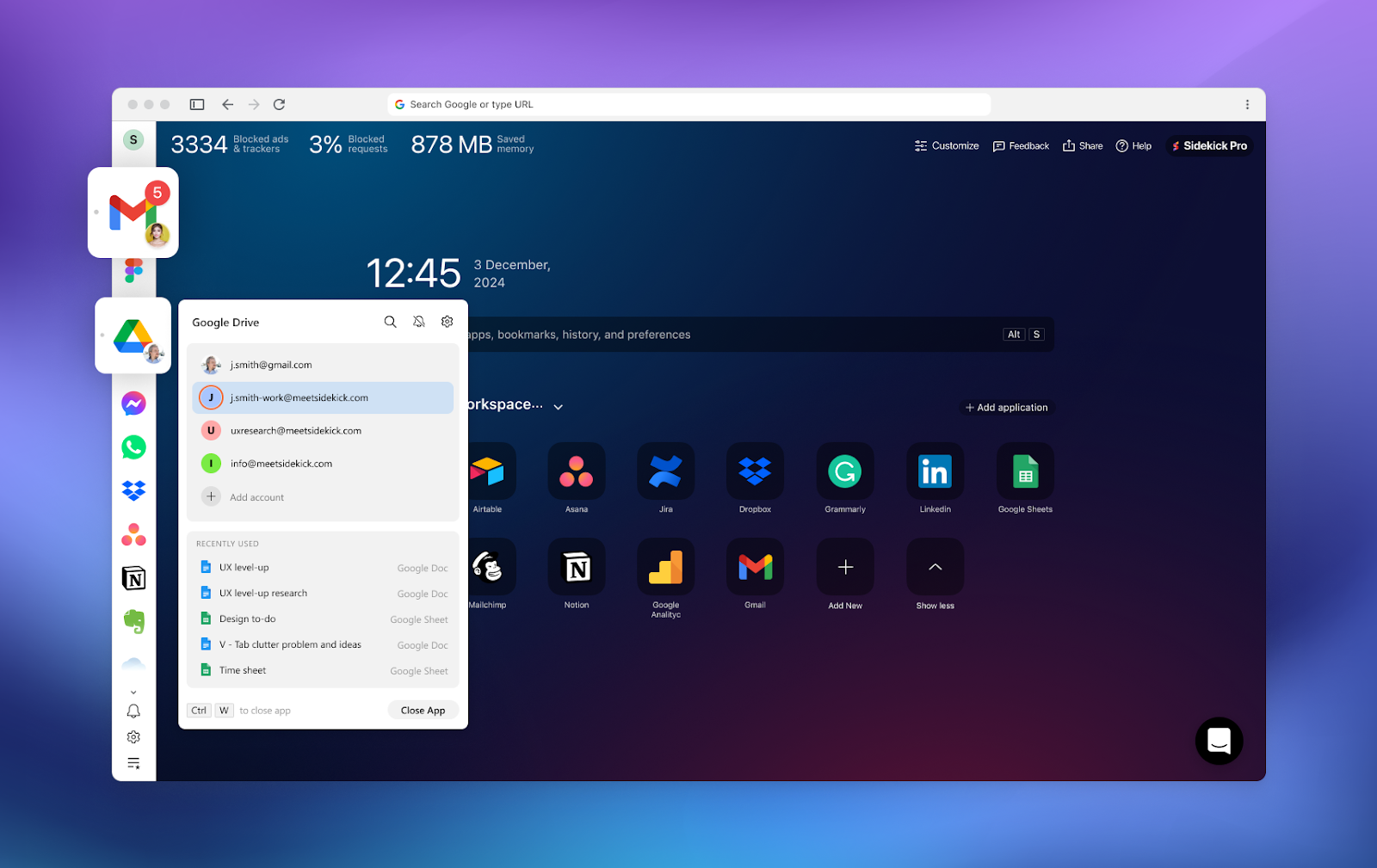
Access accounts from multiple apps in a single sidebar to speed up your workflow.
Create separate online spaces for work and family, so you're not mixing up personal and professional accounts.
You’ll also be able to set up redirection rules for social media sites and switch back to main tasks during work hours.
So if you try to visit YouTube or Twitter, Sidekick Browser will instantly redirect you to Gmail for optimal focus.
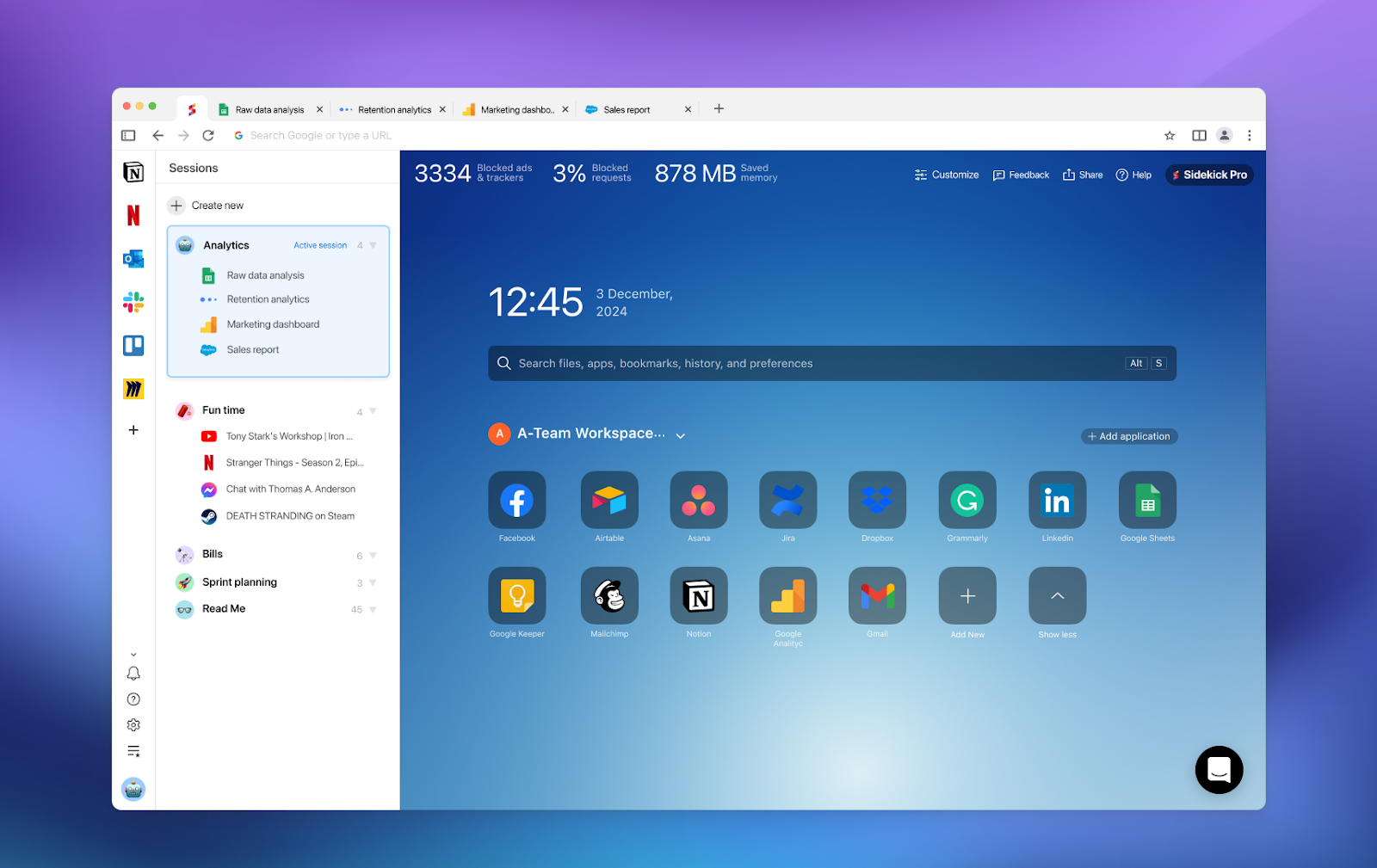
Create sessions for personal and professional purposes with tabs to websites.
Working with multiple tabs? You can group, save, and open tabs while browsing—and then hide the sidebar once you find what you need.
Even better, you’ll be able to split views to work on multiple documents, reply to emails, or see your to-do lists from your main screen.
And because Sidekick Browser is packed with a built-in task manager, you can pin tasks across apps and browsers on your desktop, easy peasy.
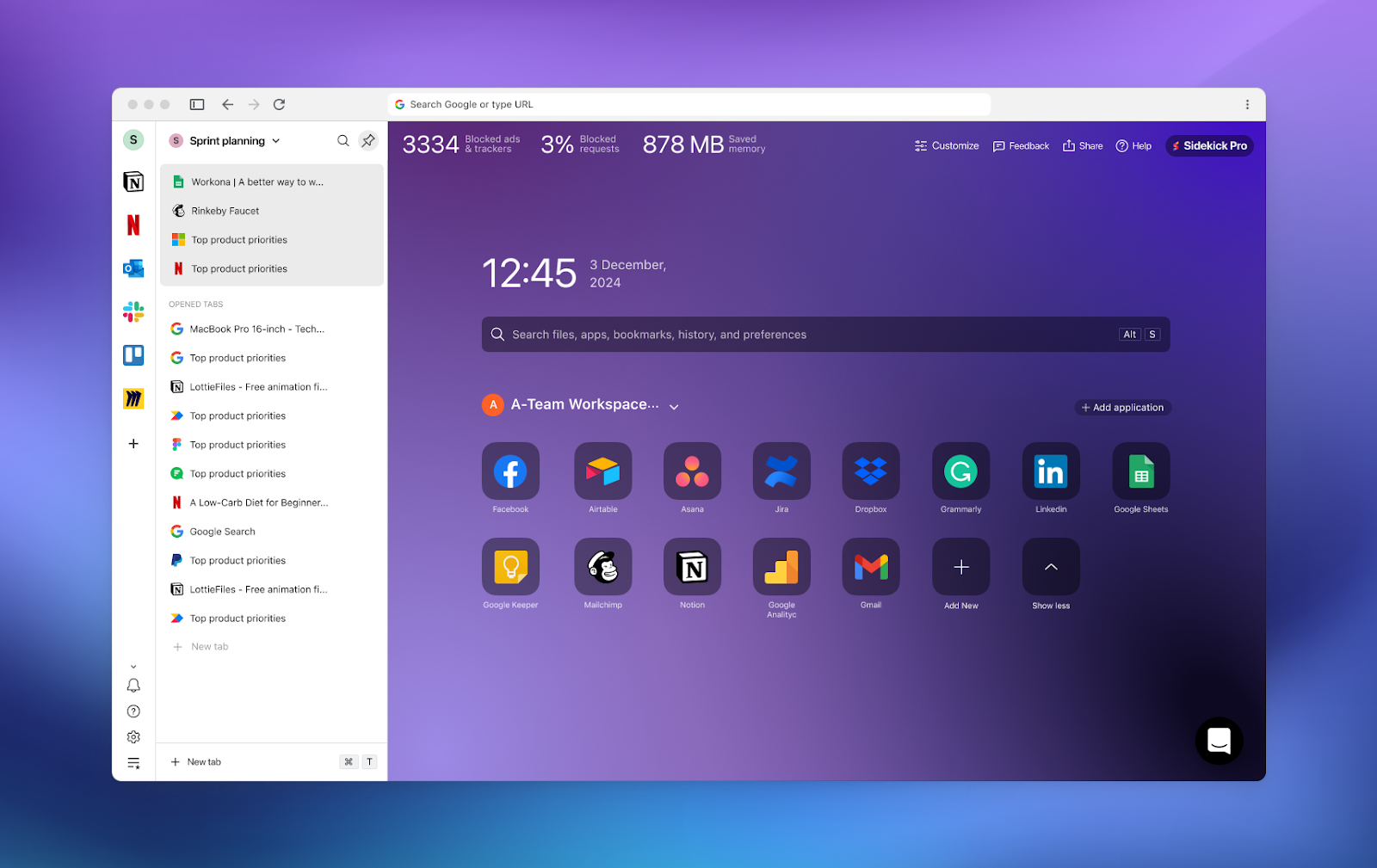
You’ll be able to organize and group multiple tabs for easy switch-off.
Best of all, Sidekick Browser’s fingerprint defense lets you hide or modify your digital presence from big tech companies tracking your browsing behavior.
Take advantage of ad-free browsing with an AI-powered ad blocker that lets you watch YouTube ad-free without a premium subscription.
And because this browser has an AI-based tab suspender and memory optimization, it’ll load smoothly no matter how many tabs are open.
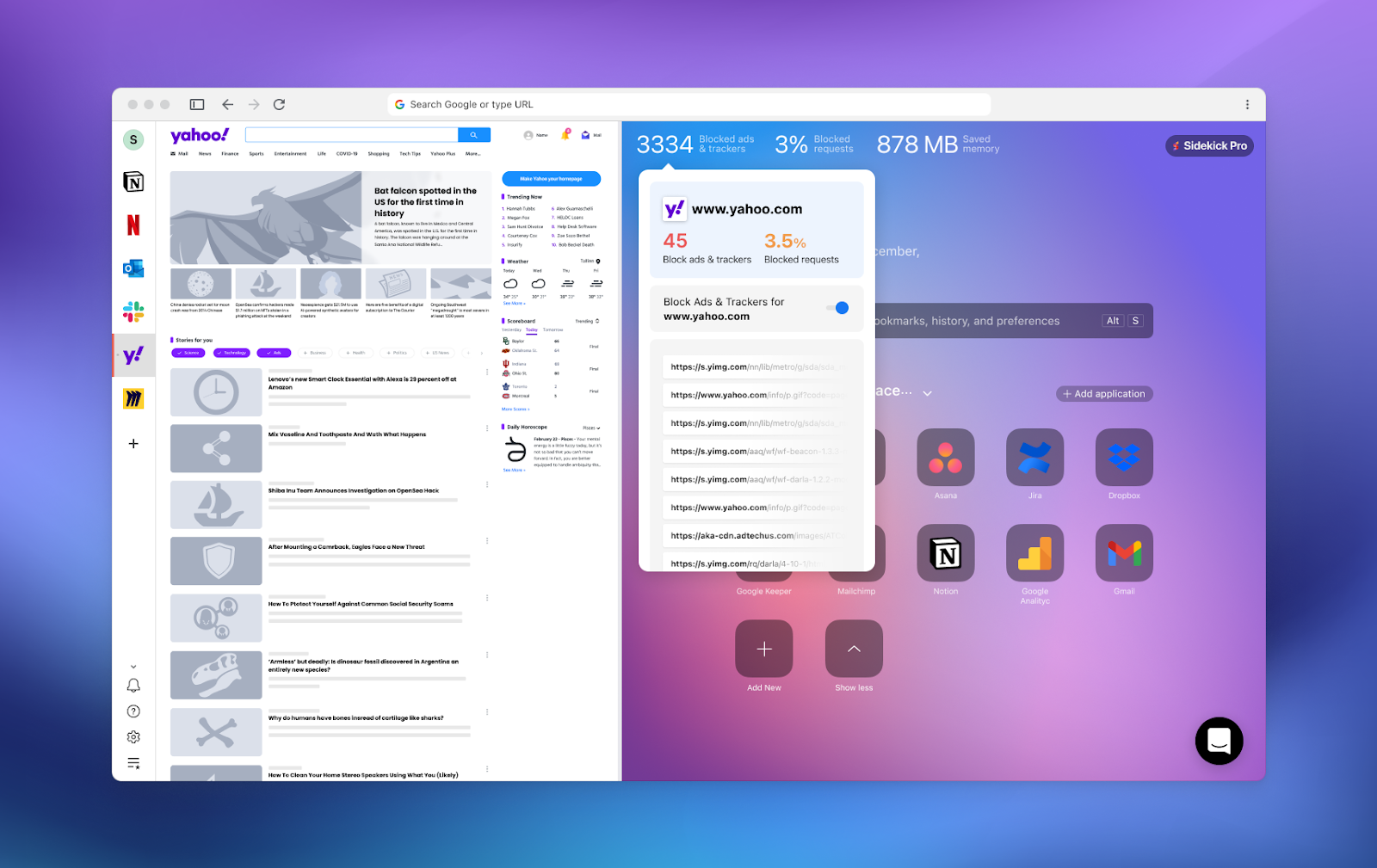
Block ads and trackers from tech companies for distraction-free browsing.
Don’t fall down a Wiki rabbit hole! Sidekick Browser helps you cut out digital distractions and eliminate tab clutter, so you can get more done.
Stay focused online.
Best features overview
Multiple workspaces
Multiple app accounts
Split view
Password sharing
Custom web apps
Unlimited sessions
Unlimited sidebar apps
Tab sessions
Need for information and download the SideKick? Visit their homepage


